
Installation
-
Download the latest RPM distributable of the MettleCI parallel Unit Test Harness (see Accessing the MettleCI Software Distribution). The rest of these instructions assume this is located in your user’s
$HOMEdirectory. -
From that directory, install the package from the shell of your DataStage Development Engine using Red Hat Package Manager (RPM).
sudo rpm -U dm-unittest-harness-x.x-x.noarch.rpm
# or for AIX...
sudo rpm -U dm-unittest-harness-x.x-x.noarch.rpm --ignoreos
-
Verify that your rpm package installation has been successful. Note that this command uses the package name ('dm-unittest-harness') and not the RPM filename ('dm-unittest-harness-x.x-x.noarch.rpm').
sudo rpm -V dm-unittest-harness
.....UG..    /opt/IBM/InformationServer/Server/DSComponents/bin/dm-unittest-harness-1.0-219.jar
.....UG..    /opt/IBM/InformationServer/Server/PXEngine/bin/osh-dm
-
If your MettleCI licence file has not already been installed by the Workbench then copy your MettleCI licence file into the location
/opt/dm/mci/mettleci.lic
Post-installation
To enable MettleCI Unit Testing for an existing DataStage project:
-
Log into your development DataStage Engine(s) and navigate to your DataStage project folder. This would typically be:
/opt/IBM/InformationServer/Server/Projects/<Your Existing Project>
-
Add the following Environment variable definition to the
DSParamsfile under the[EnvVarDefns]section:DM_ENABLE_UNIT_TESTING\MettleCI\-1\List/Disabled//Test//Intercept/\Disabled\3\Project\Unit Testing Configuration\
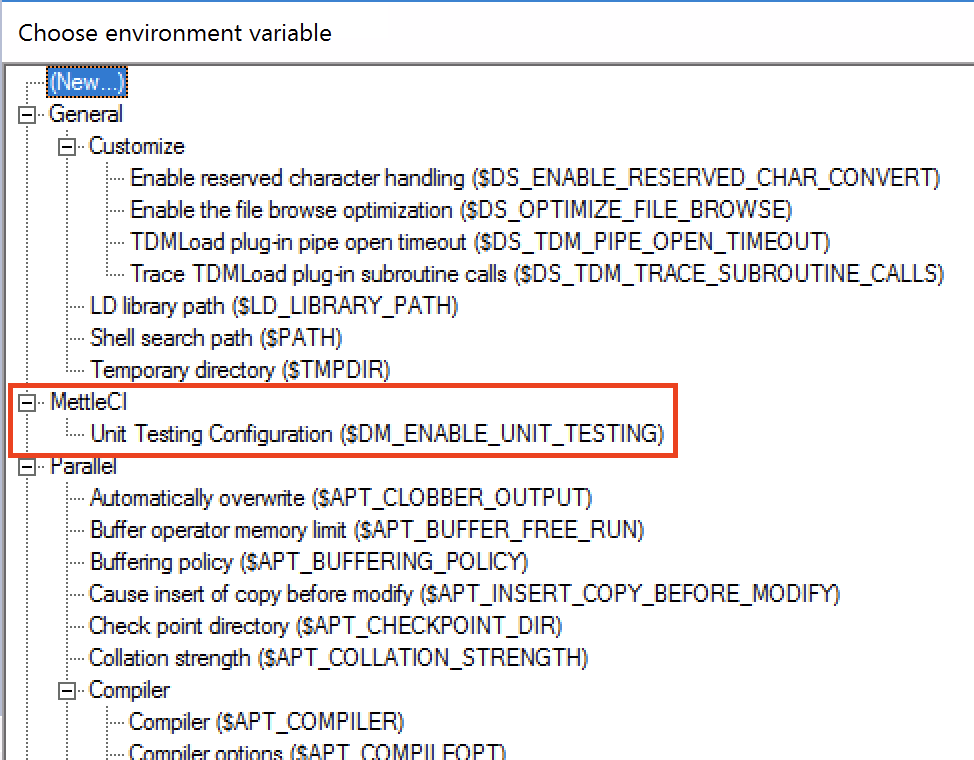
This will make the following Environment Variable available to add to the DataStage jobs for which you wished to enable unit testing:
To enable MettleCI Unit Testing for all newly-created DataStage projects:
-
Add the same entry described above to the DSParams for your ‘Template’ project, located in directory:
/opt/IBM/InformationServer/Server/Template
Uninstalling the Unit Test Harness
-
You can uninstall the MettleCI Unit Test Harness package like any other RPM package:
sudo rpm -e dm-unittest-harness