
Prerequisites:
-
A machine with git installed that has the required access to push to repositories in your Azure DevOps instance
Here is a simple roadmap to getting up and running with DataStage and Azure DevOps:
-
Create an Azure DevOps Project
-
Create two Git repositories from the MettleCI templates:
-
One to host your Compliance Rules. We will customise these later.
-
One to host your DataStage solution. This will includes default YAML pipelines for your DataStage CI/CD process which we will customise later.
-
-
-
Make sure you generate an SSH key pair if you don't already have one available
-
-
Configure MettleCI Workbench to use HTTPS
-
Add your SSH Public Key to Azure DevOps to provide authentication when performing a Git commit.
-
Register MettleCI as an App in Azure Active Directory, enabling MettleCI Workbench to perform dynamic lookup of Azure DevOps Work Items.
-
Create a sample Azure DevOps Work Item for us to associate with the first Git commit.
-
Register your first DataStage project in MettleCI Workbench
-
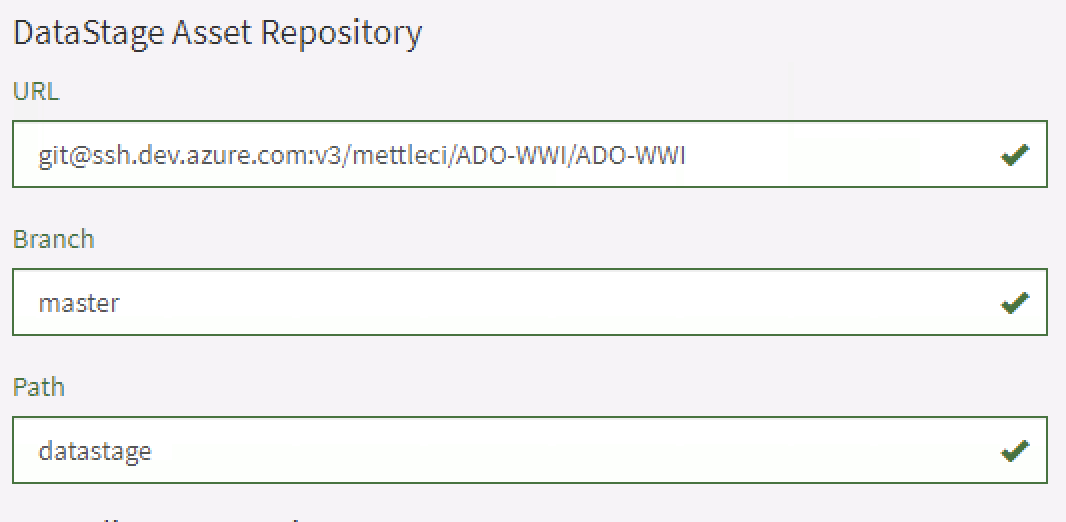
Enter the details for the DataStage solution repository in Azure DevOps. e.g.
-
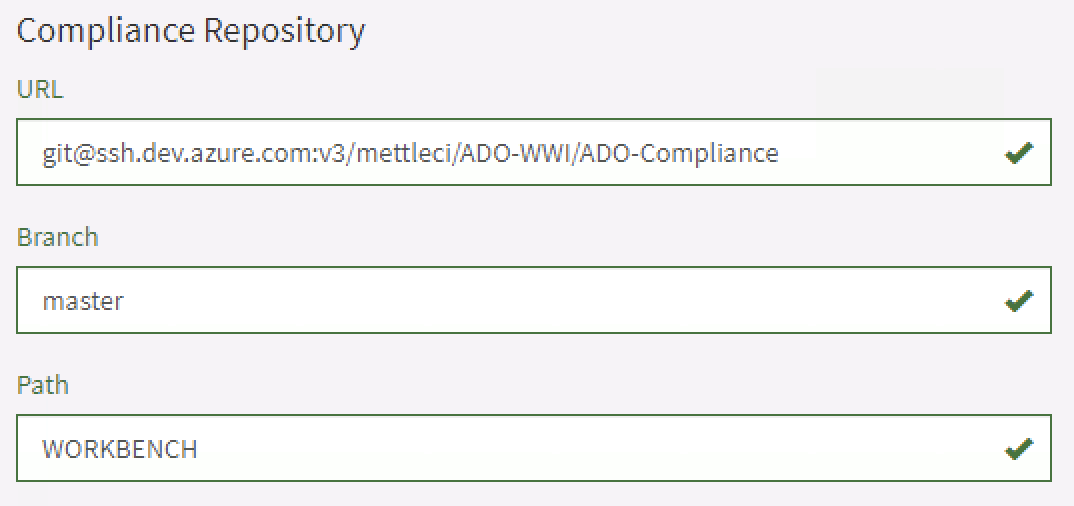
Enter the details for the Compliance repository in Azure DevOps. e.g.
-
-
Run a Compliance check using the MettleCI Workbench
-
Perform a Git commit using the MettleCI Workbench
-
Enter some text to find your Work item in Azure DevOps
-
Commit your asset to Azure DevOps
-
Done!