
Purpose
Execute a specified script on a target host.
Note that the -privateKey parameter is the name of a private key file accessible your mettleci remote execute command. If used as part of a CI/CD pipeline then the build agent process running the command will need access to the specified private key file.
Syntax
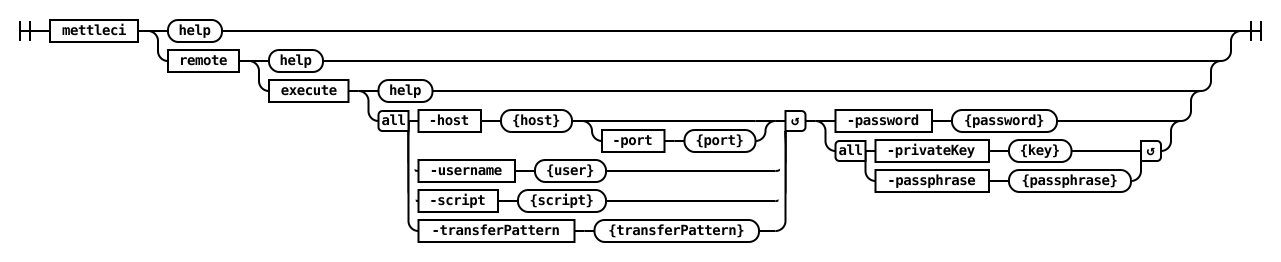
remote execute [options]
Options
-
-script
Local script to execute on remote server
Required
-
-username
Username when connecting to remote server
Required
-
-password
Password when connecting to remote server, required when -privateKey is not used
-
-privateKey
Private SSH key, required when -password is not used
-
-passphrase
SSH key pass phrase
-
-host
URL of the server
Required
-
-port
SSH Port
Examples
Bash
$> mettleci remote execute \
   -host my-engine.my-org.com \
   -username myusername \
   -password mypassword \
   -script "config/deploy.sh"
MettleCI Command Line (build 128)
(C) 2018-2022 Data Migrators Pty Ltd
Connecting to my-engine.my-org.com on port 22

Status code = 0
exit code = 0
$>