
For example, how do I migrate my Bitbucket repository to GitHub?
In this example we're going to migrate a Bitbucket repository called your-repository from an organisation your-bitbucket-organisation to a GitHub repository of the same name in an organisation called your-github-organisation. Note that this example will retain the Git history (e.g. commits) of your migrated repository.
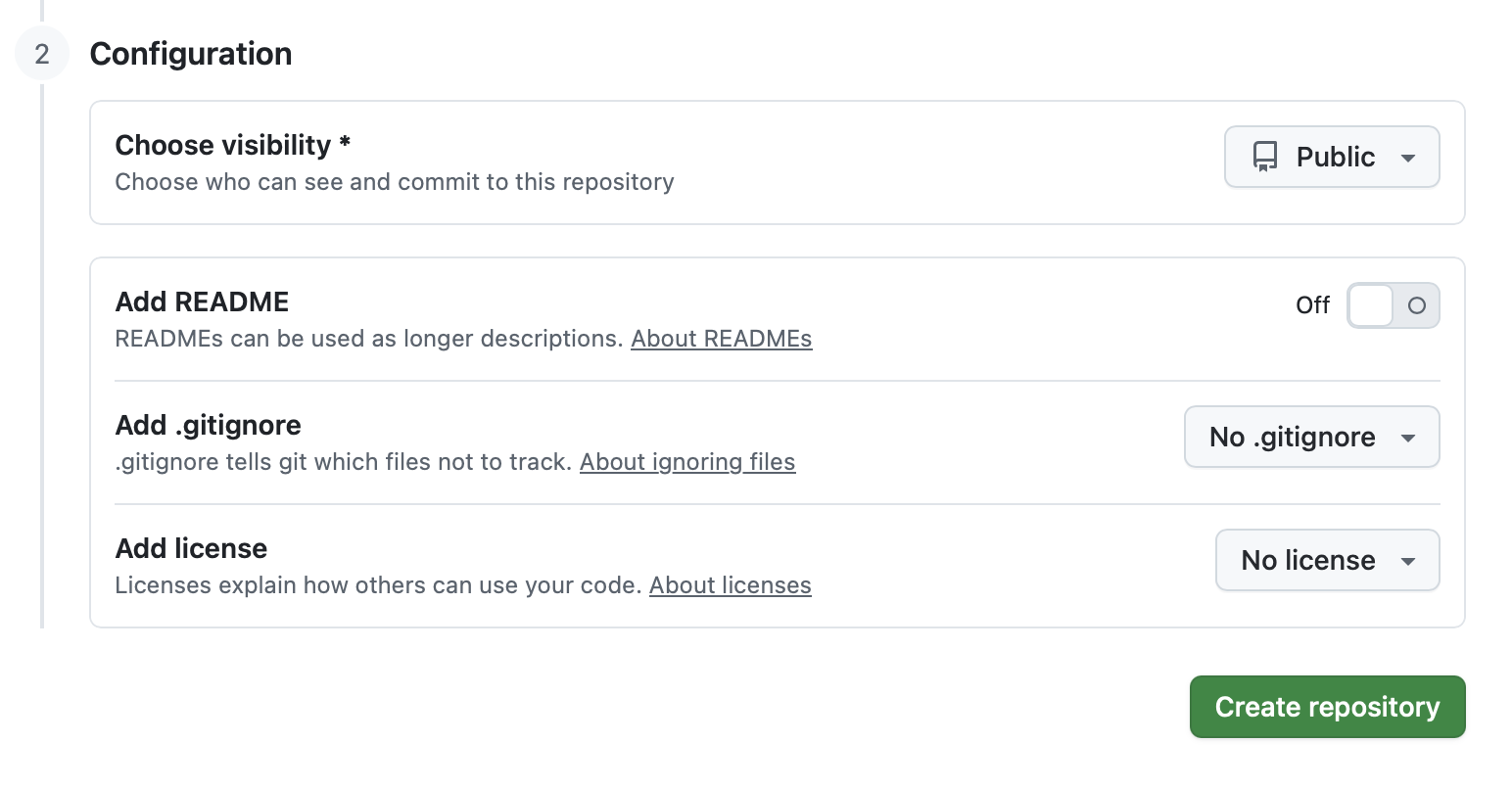
Start by creating a new, empty, target GitHub repository (). Ensure that you DO NOT create any assets in the repository, such as a README.md, .gitignore or license file.
Next, using a terminal application …
Bash
# clone your source Bitbucket repository to a local folder
➜ git clone git@bitbucket.org:your-bitbucket-organisation/your-repository.git
Cloning into 'your-repository'...
remote: Enumerating objects: 160, done.
remote: Counting objects: 100% (160/160), done.
remote: Compressing objects: 100% (75/75), done.
remote: Total 160 (delta 35), reused 0 (delta 0), pack-reused 0 (from 0)
Receiving objects: 100% (160/160), 18.75 KiB | 376.00 KiB/s, done.
Resolving deltas: 100% (35/35), done.

# Enter the repository folder
➜ cd your-repository/

# Verify its existing origin (Bitbucket)
➜ your-repository git:(main) git remote -v
origin	git@bitbucket.org:your-bitbucket-organisation/your-repository.git (fetch)
origin	git@bitbucket.org:your-bitbucket-organisation/your-repository.git (push)

# Reset the origin URL so the new remote is your recently-created empty GitHub repository
➜ your-repository git:(main) git remote set-url origin git@github.com:your-github-organisation/your-repository.git
➜ your-repository git:(main) git branch -M main

# Verify its new origin (GitHub)
➜  your-repository git:(main) git remote -v
origin	git@github.com:your-github-organisation/bitbucket-test.git (fetch)
origin	git@github.com:your-github-organisation/bitbucket-test.git (push)

# Push your local repository to GitHub
➜  your-repository git:(main) git push -u origin main
Enumerating objects: 160, done.
Counting objects: 100% (160/160), done.
Delta compression using up to 10 threads
Compressing objects: 100% (40/40), done.
Writing objects: 100% (160/160), 18.75 KiB | 9.38 MiB/s, done.
Total 160 (delta 35), reused 160 (delta 35), pack-reused 0 (from 0)
remote: Resolving deltas: 100% (35/35), done.
To github.com:your-github-organisation/bitbucket-test.git
 * [new branch]      main -> main
branch 'main' set up to track 'origin/main'.

# Done!
Other tasks
You should also rememeber to update your MettleCI Workbench configuration and any CI/CD pipelines referencing the repository.