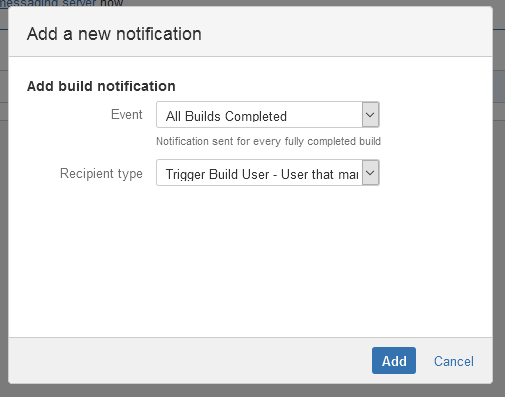
The MettleCI - Notification Extensions installs a Manual Build User Recipient type which facilitates notifying the user who manually triggered a build with regards to it's status
Configure a Manual Build User Recipient
Steps
-
Navigate to the Notifications configuration tab for the job (this will be the default job if creating a new plan).
-
Click the pencil icon of an existing Notification, or click Add Notification.
-
If you can't find the Manual Build User Recipient type, check the add-on MettleCI - Notification Extensions (dm-bamboo-notification.jar) has been installed and is enabled.
-
Complete the Add Build Notification settings form with the appropriate Event and Recipient Type values.
-
Click Save