
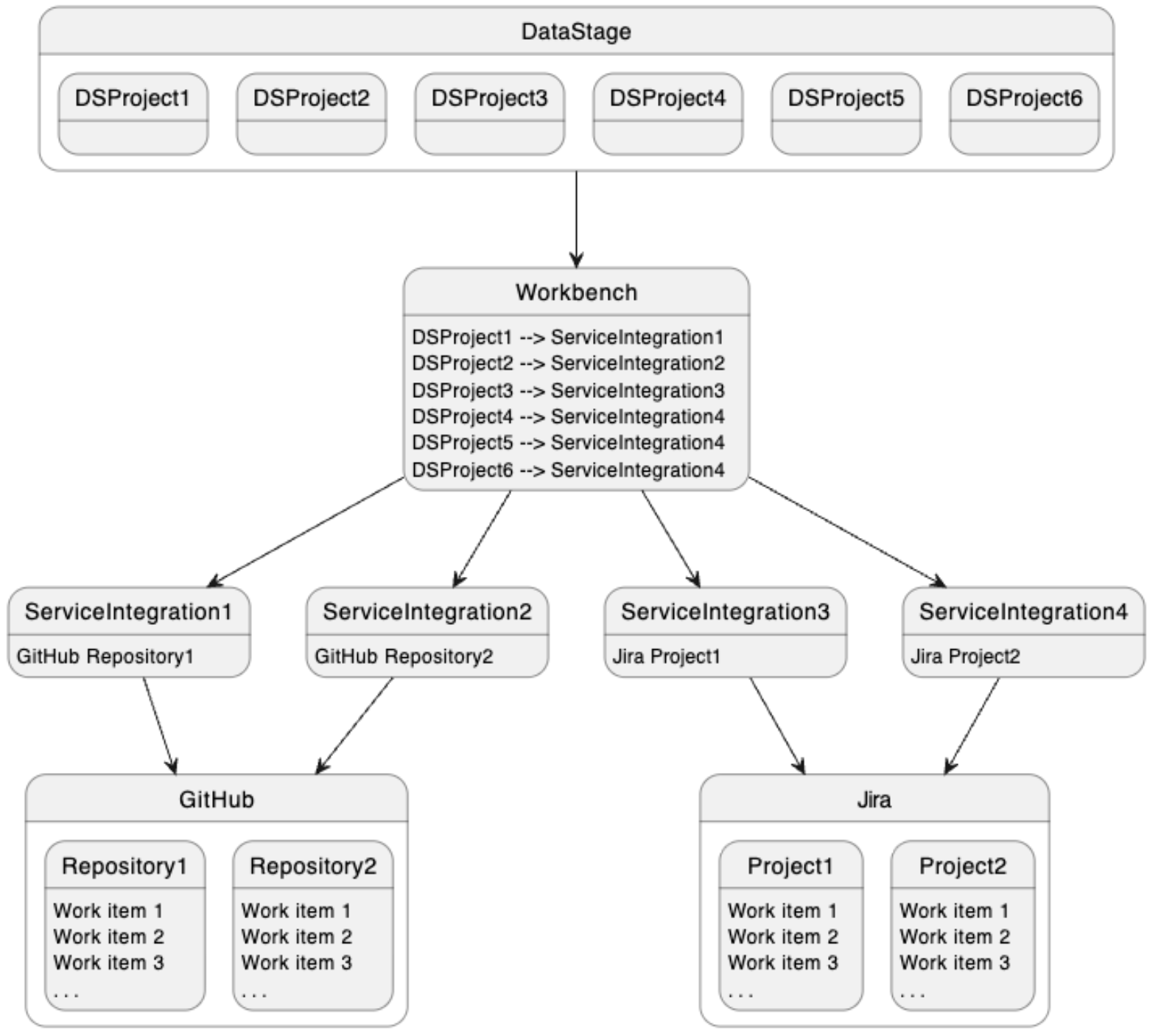
A work item service integration is a connection to a specific work item project/repository within a supported work item service. MettleCI Workbench is used to define those work item service integrations and associate them with one or more DataStage projects which will use them for work item lookup when performing Git commits. In the example illustrated below, DataStage projects DSProject4, DSProject5, and DSProject6 will each enable you to associate their commits with work items in Jira project Project2.
To configure a new work item service integration with MettleCI you first need to be logged in as a DataStage Administrator. You can then access the project registration interface by clicking User avatar (top right) → Profile and settings → Work items. This will list all work item service integrations currently configured in your environment. Each configuration also has a 'Used by' link describing which DataStage projects are currently coinfigured to use that integration.
)%20(5)-20251005-051745.png?cb=27e1a718d04debe05dd8163ffc67f84c)
Adding or modifying a configuration
To add a new work item service configuration click the Add integration button. To modify an existing integration click the name of the integration in the table.
For new integrations you’ll be presented with a page asking you to provide a name for your integration and select, from a drop down list, which work item service you’d wish to integrate with.
)%20(6)-20251005-061212.png?cb=85e32b6f91356deb5ebb442343106069)
Once you’ve selected the work item service you want to use you’ll be presented with a set of options specific to that work item service. For more details on each of these options, see the relevant service-specific pages:
Work item service integrations
Note that MettleCI is installed with default work item service integration which is not connected to any issue management service. This integration is teh default for all DataStage projects connected to MettleCI workbench, and will remain the integration in iuse until overridden by an administrator.